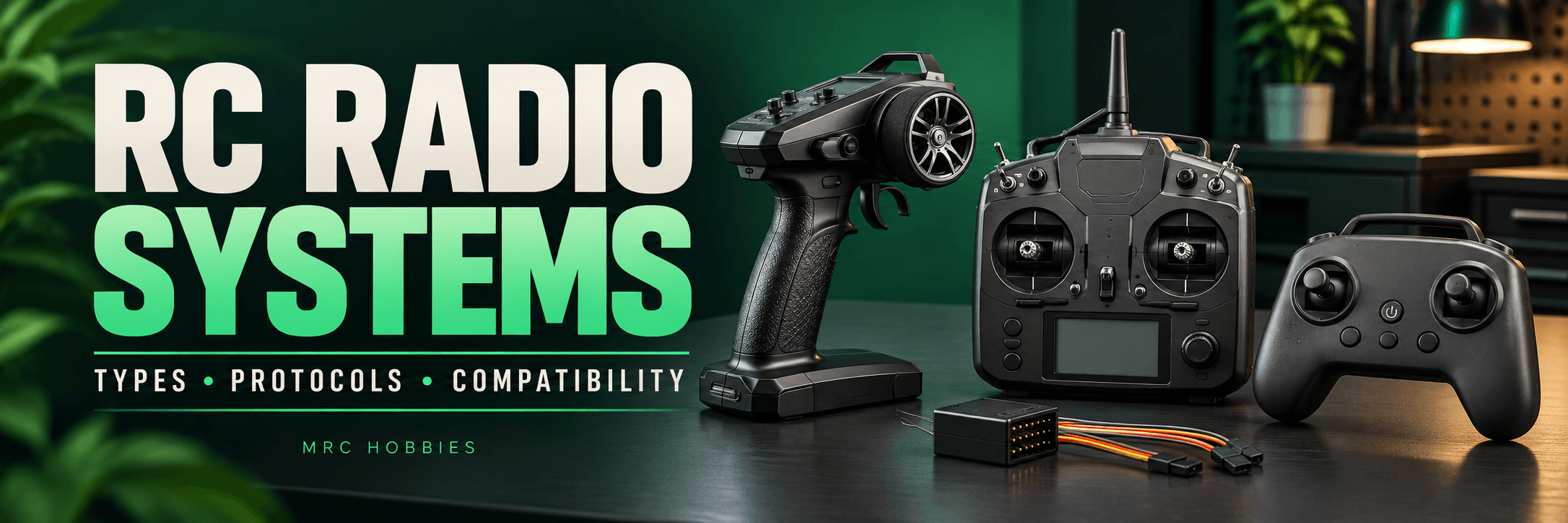
The radio system connects your hands to your RC model. Turn a steering wheel, move a stick or operate a switch, and the model responds through its receiver and connected electronics.
But choosing a radio involves more than counting channels.
The controls must suit your model, the transmitter and receiver must communicate correctly, and the available settings must support the functions you need.
Three separate questions help make sense of the options:
- What shape and control layout does the transmitter have?
- Which frequency band does it use?
- Which radio protocol does it support?
Understanding these differences makes it easier to choose equipment and avoid compatibility problems.
How Does a Radio Control System Work?
The transmitter reads your inputs and sends commands over a radio link. The receiver installed in the model receives those commands and passes the appropriate outputs to servos, an electronic speed controller or a flight controller.
On an RC car, the main functions are usually steering and throttle. A crawler may add controls for a transmission, differential locks or other equipment.
Aircraft and helicopters can require several coordinated functions. Their commands may also be processed by mixing settings or an onboard controller.
The radio link and the receiver’s output connections are separate parts of this chain. Both must suit the equipment being used.
1. Pistol-Grip Radio Systems
Pistol-grip transmitters typically have a steering wheel and a trigger.
The wheel controls steering. The trigger commonly operates throttle and braking or reverse, depending on the vehicle’s configuration.
This layout is familiar in RC cars, trucks and many boats. Additional switches, buttons or dials can operate other functions where the radio supports them.
For a basic car, two main controls may be enough. A scale crawler can need more accessible controls for its additional equipment.
The important question is whether you can comfortably operate the required functions—not simply how many channels appear on the box.
2. Two-Stick Radio Systems
Two-stick transmitters provide two main gimbals, generally giving four primary input axes. Switches, sliders and dials can provide additional inputs.
This arrangement is common in aircraft, helicopter and drone control. It can also suit construction models, boats and robotics where several movements need to be coordinated.
You may encounter references to different stick modes. These describe the allocation of primary controls.
Stick mode is a control-layout choice. It does not identify the radio protocol or determine receiver compatibility.
Choose a layout that matches your intended setup and the way you have learned to operate the model.
3. Gamepad-Style Transmitters
Gamepad-style radios usually provide two sticks in a compact body.
Their shape may feel familiar to someone who uses a gaming controller. However, the available switches, programming features and radio hardware depend on the specific product.
Evaluate the grip, stick movement and access to auxiliary controls. A compact transmitter should still provide comfortable access to the functions your model requires.
Its appearance does not tell you which receiver it can use. Two similar-looking controllers may contain different radio systems.
Comparing Transmitter Layouts
LayoutTypical controlsApplications to considerPistol gripSteering wheel, trigger and auxiliary controlsCars, trucks and many boatsTwo stickTwo gimbals with switches or other inputsAircraft, helicopters, drones and complex modelsGamepad styleCompact two-stick arrangementModels suited to its controls and supported radio system
The best layout depends on the model, the operator and the required functions.
4. Older AM and FM Radio Systems
Older RC equipment includes AM and FM systems. You may also see terms such as PPM and PCM in their documentation.
These terms describe different aspects of communication. AM and FM refer to modulation, while PPM and PCM describe ways of representing control information.
Futaba’s older documentation includes configurations such as FM/PPM and PCM modes, demonstrating why these labels should not be treated as interchangeable. futabausa.com
When restoring older equipment, consult the exact transmitter and receiver manuals. Frequency, receiver type and configuration all matter.
Similar connectors do not make an older transmitter compatible with a modern receiver.
5. Modern 2.4 GHz Digital Radio Systems
Many contemporary RC systems operate in the 2.4 GHz band.
Different manufacturers use different digital protocols within that band. Some employ frequency hopping, moving among frequencies according to the system’s design.
For example, Spektrum describes DSMR as a frequency-hopping 2.4 GHz system for land-based RC vehicles and boats. Spektrum
The most important lesson is:
“2.4 GHz” identifies a frequency band, not a universal compatibility standard.
A transmitter and receiver must also support a compatible protocol and configuration.
6. Different Radio Protocol Families
A protocol defines how compatible devices communicate over the radio link.
Several names commonly appear in RC equipment descriptions:
FamilyExamplesWhat to checkSpektrumDSMX and DSMRExact transmitter and receiver compatibilityFutabaFASST, FASSTest, S-FHSS and T-FHSSSupported mode and model categoryFlyskyAFHDS, AFHDS 2A, AFHDS 3 and ANTSupported protocolExpressLRS2.4 GHz and 900 MHz systemsFrequency, firmware compatibility and configuration
Spektrum documents separate air and surface technologies. Futaba lists several communication systems. Flysky’s FAQ specifically instructs users to match the transmitter’s wireless protocol with the receiver. Spektrum
Brand name alone is therefore insufficient. Two products from the same manufacturer may still require different radio modes.
7. ExpressLRS Radio Systems
ExpressLRS is an open-source radio-control link.
Its official documentation identifies both 2.4 GHz and 900 MHz systems and explains that transmitter and receiver frequency must match. ExpressLRS
You also need compatible firmware and the correct configuration.
The receiver must provide the output arrangement your model needs. A receiver communicating with a flight controller may differ from one providing individual servo outputs.
The practical choice is therefore about the complete setup, rather than selecting an ELRS label alone.
8. Multi-Protocol Radio Systems
A multi-protocol module supports a defined selection of radio protocols.
This can be useful when an enthusiast owns models with different supported receiver types. However, multi-protocol does not mean universal compatibility.
RadioMaster’s 4-in-1 module incorporates several RF chips for its multi-protocol approach. RadioMaster also offers transmitters in distinct 4-in-1 and ELRS configurations. RadioMaster RC
An identical-looking transmitter body can therefore contain different radio hardware.
Check the exact version and supported protocol list before buying.
9. Telemetry-Enabled Radio Systems
Telemetry returns information from the model to the operator.
Depending on the complete system, it can include link information and measurements from supported sensors.
Telemetry capability does not mean every measurement is automatically available. The radio, receiver and connected equipment must support the information you want to display.
Also understand what each reading represents. Receiver-supply voltage, for example, is different from a direct measurement of the propulsion battery.
Useful telemetry begins with knowing what is being measured.
Understanding Channels and Receiver Outputs
A channel represents a control value. Its practical use depends on how the transmitter assigns it and how the model receives it.
Start by listing the functions your model needs. Then check whether the radio provides suitable controls for each one.
Also distinguish transmitted channels from physical receiver ports. A serial-output receiver can pass several channel values through one connection to a flight controller.
Labels such as PWM, S.Bus and CRSF describe interfaces or data arrangements in the control chain. They should not be confused with a guarantee that a receiver will bind to a particular transmitter.
What Does Binding Do?
Binding establishes the intended association between a compatible transmitter and receiver.
The procedure varies between systems. It cannot make incompatible hardware communicate using an unsupported protocol.
If equipment will not bind, check:
- Exact transmitter and receiver compatibility.
- Selected radio mode.
- Required firmware compatibility.
- Manufacturer’s binding procedure.
A model memory stores settings for a model, but receiver identity and model matching behave differently across systems. Follow the relevant documentation.
Choosing a Radio for Your RC Model
ApplicationFeatures to evaluateCar or truckComfortable steering and throttle controls, trims and endpointsScale crawlerAccessible auxiliary controls and function assignmentsAircraft or helicopterStick layout, mixing and controller compatibilityDroneCompatible radio link and receiver interfaceConstruction model or robotEnough independently accessible controls
This is a starting point. The requirements of your particular model should determine the final configuration.
A radio with many channels is not automatically the best choice if its controls, receiver or settings do not suit the model.
Practical Checks Before Operation
Follow the manuals to check control direction, travel limits and the intended response to a lost radio link.
Perform these checks in a setup that prevents unintended movement or propulsion.
Inspect power connections and antenna installation. Use the manufacturer’s range-check procedure where provided.
Advertised range does not guarantee identical performance in every installation or environment. Correct setup remains essential.
Common Mistakes to Avoid
- Assuming all 2.4 GHz receivers are compatible.
- Choosing a transmitter only by channel count.
- Confusing receiver interfaces with radio protocols.
- Buying the wrong RF version of a transmitter.
- Assuming telemetry includes every sensor measurement.
- Skipping configuration and loss-of-link checks.
Final Thoughts
A suitable RC radio system combines comfortable controls, a compatible transmitter-receiver link and the settings required by your model.
Understand the layout, frequency, protocol and receiver outputs separately. This makes choosing equipment, diagnosing problems and planning upgrades much easier.
Explore RC Radio Systems with MRC Hobbies
Visit MRC Hobbies or contact us with your model, transmitter and receiver details to discuss suitable options.
Address: 201, P. N. Kothari Industrial Estate, next to Navkar Hospital, Bhandup West, Mumbai, Maharashtra 400078.
Phone / WhatsApp: +91 77840 93093
Instagram: @mrchobbies
YouTube: MRC Hobbies